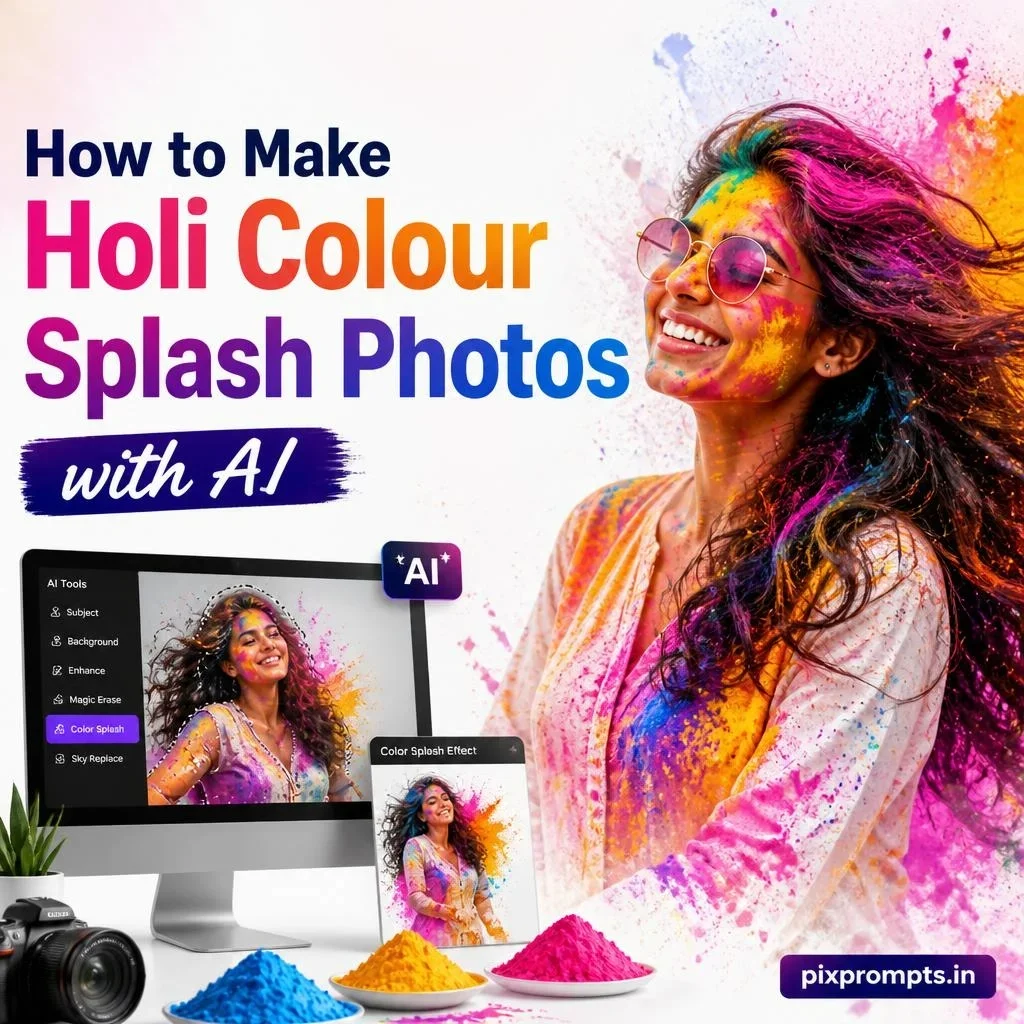
Holi is the festival of colours, and its photos are among the most vibrant and joyful images of the year. Clouds of pink, yellow and green gulal, faces smeared with colour, white clothes turned rainbow and friends laughing together all capture the festival’s spirit perfectly.
Taking such photos in real life is messy, and phones are at risk from water and colour. AI lets you create stunning Holi images from clean, everyday photos. This guide gives you colour splash prompts for solo, couple and group edits, plus tips to keep colours bright yet natural.
Elements of a Holi Photo
Holi images feature colourful powder clouds frozen in mid-air, faces and clothes covered in pastel and bright colours, white outfits that show colour beautifully, water splashes and joyful expressions. Bright daylight makes colours pop, while slightly backlit scenes make powder clouds glow.
Choose a colour palette for your image. Pink, yellow and green feel classic and cheerful, while blue and purple add a dramatic touch.
Keep Faces Recognisable
Heavy colour on faces can hide features, making the result look like someone else. Ask for “light colour smears on cheeks and forehead” rather than fully covered faces when you want to stay recognisable. For playful group shots, more colour is fine.
Safe and Joyful Images
Holi celebrates fun and togetherness. Keep images joyful and respectful, avoid scenes that show colour being forced on unwilling people and include natural colours or flowers if you want an eco-friendly message. Positive images inspire happy, safe celebrations.
Holi Content for Small Businesses
Sweet shops, cafes, salons and clothing stores can use Holi images to announce special menus, offers or opening hours. Generate a colourful background with powder clouds and empty space for text, then add your logo and message. Keep the design cheerful and uncluttered so the offer is readable at a glance.
For a more eco-friendly message, use flower petals or natural colours in the imagery and mention dry, skin-safe celebration tips in your caption. Positive, caring messages are well received during the festival.
Planning Your Holi Posts
Create your images a day or two before Holi. On the morning of the festival, post a greeting image; later in the day, share a playful colour splash image or a short reel. Planning ahead lets you enjoy the celebrations instead of editing while everyone else is playing with colours.
Holi Colour Splash Prompts
Each prompt below is ready to copy. Replace the words in square brackets with your own details before you hit generate.
1. Solo colour splash
Keep my face exactly the same. Show me laughing joyfully as a cloud of pink and yellow gulal bursts around me, light colour smears on my cheeks and forehead, white kurta covered in colourful patches, bright sunny day, backlit powder glowing, realistic photo.
2. Throwing colours
Keep my face unchanged. Show me throwing a handful of green gulal into the air, colour powder frozen in mid-air, wide joyful smile, white clothes with colour stains, bright blue sky, dynamic action shot.
3. Couple Holi
Keep both faces accurate. The couple applying colour on each other's cheeks, laughing, surrounded by clouds of pink and purple gulal, white outfits with colourful patches, sunny festive mood.
4. Friends group
Keep all faces recognisable. A group of friends celebrating Holi in a courtyard, colourful powder clouds, water splashes, joyful laughter, bright daylight, festive energy, realistic photo.
5. Water balloon fun
Keep my face the same. Show me playfully ducking as a colourful water balloon bursts nearby, coloured water droplets frozen in mid-air, bright sunlight, fun candid moment.
6. Floral Holi
Keep my face unchanged. Show me celebrating Holi with flower petals instead of colours, pink and orange petals falling around me, traditional white outfit, soft sunlight, peaceful festive mood.
How to Make Holi Colour Photos
- Choose a clean photo: A clear photo with a natural expression works best.
- Pick a colour palette: Decide on two or three main colours.
- Use a Holi prompt: Describe powder clouds, colour on clothes and joyful expressions.
- Keep the face visible: Ask for light colour smears on the face.
- Review colours: Make sure colours look vibrant but natural.
- Share with a festive message: Add a Holi greeting and post early in the day.
Keep It Respectful and Authentic
Festivals carry deep cultural and religious meaning for families across India. When you create festival images, keep clothing, rituals and decorations respectful and accurate. If you are unsure about a tradition, ask an elder in the family or keep the image simple and celebratory.
Adding real details from your own celebration, like your home’s rangoli design, your city’s skyline or your family’s favourite sweets, makes the image feel personal rather than generic.
Printing Your AI Images
Some of the best AI edits deserve to leave the phone. For prints, choose your highest-quality version, upscale if needed and ask the print shop which size suits the image’s resolution. Matte paper reduces glare and suits artistic styles, while glossy paper makes bright colours pop.
A framed print of a special edit makes a thoughtful gift for birthdays, anniversaries and festivals, especially for elders who do not use social media.
Pro Tips for Better Results
- White clothes make colours stand out beautifully.
- Backlight makes powder clouds glow.
- Action poses like throwing colours add energy.
- Use a burst-style reel to show multiple Holi images quickly.
- Add a “Happy Holi” greeting in a playful font with an editor.
Common Mistakes to Avoid
Fully covered faces
Heavy colour hides your identity. Keep colour light on faces.
Muddy colours
Too many colours mixed together turn brown. Limit the palette.
Dull lighting
Holi images need bright daylight to pop.
Forced colour scenes
Show consensual, joyful fun only.
Frequently Asked Questions
Can I add Holi colours to any photo?
Yes. Ask the AI to add colour splashes, smears and powder clouds.
Which colours look best?
Pink, yellow, green and blue are classic Holi favourites.
Can I make a Holi reel?
Combine multiple images or animate one with an AI video tool.
Can I create Holi greetings for my business?
Yes. Add your logo and greeting to a colourful background image.
Quick Checklist
Before you finish, run through this short checklist:
- Choose a clean photo
- Pick a colour palette
- Use a Holi prompt
- Keep the face visible
- Review colours
- Share with a festive message
Conclusion
Holi AI photos capture the joy, colour and togetherness of the festival without the mess. Choose a bright palette, describe powder clouds and joyful expressions, keep faces recognisable and celebrate safely. Your Holi posts will be as colourful as the festival itself.
