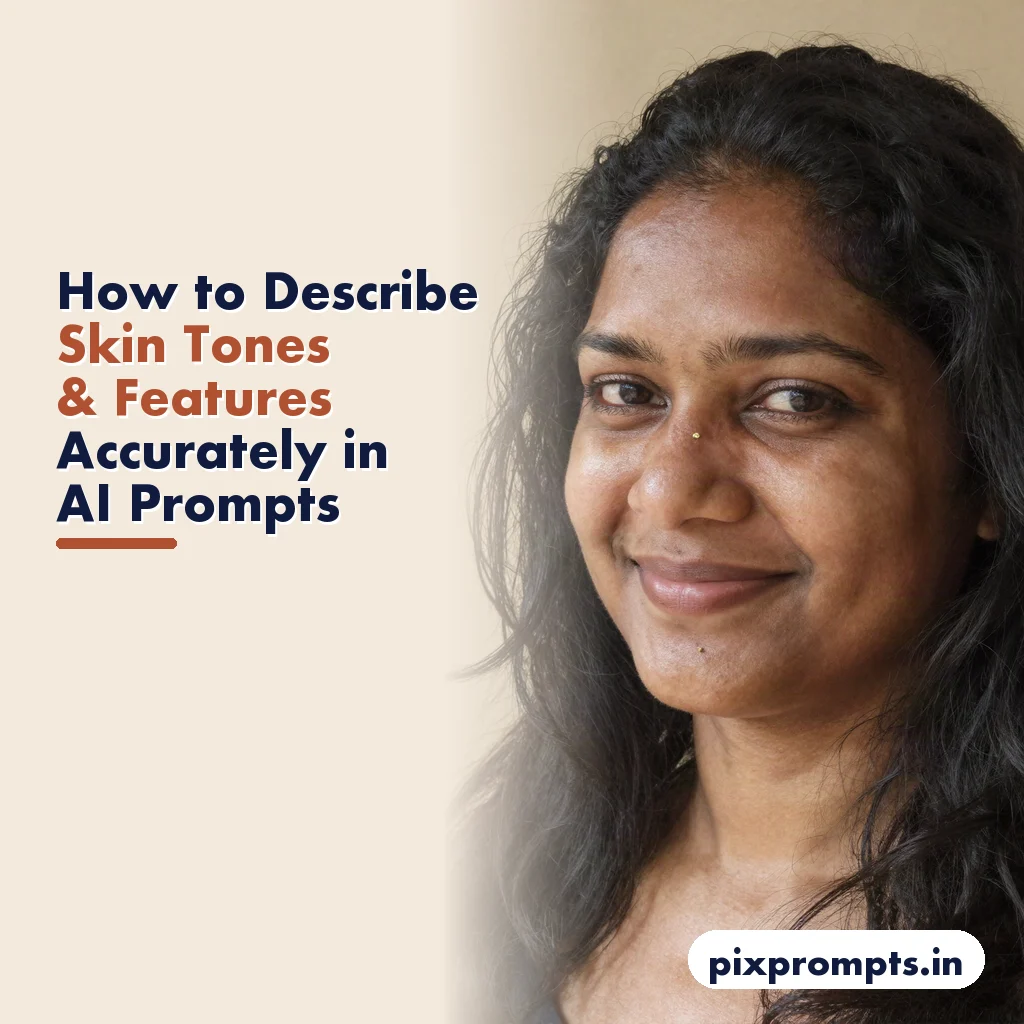
Many people in India face the same problem with AI photo tools: the result looks good, but it does not look like them. Skin comes out a few shades lighter, hair turns straight when it is curly, a nose ring disappears or a face starts looking like a model from a foreign ad. The tool is not trying to change you. It is filling in details you did not describe, and it fills them with whatever it has seen most often.
The fix is to describe yourself clearly and respectfully in the prompt. This guide explains which features to mention, the words that work, and how to stop AI from “beautifying” you into someone else.
Why AI Changes Skin Tone and Features
AI image models learn from huge collections of photos, and those collections are not balanced. When a prompt is vague, the model drifts towards the most common look in its training data. Words like “beautiful”, “flawless” or “glowing skin” make this worse, because many of the images tagged with those words show lighter, heavily retouched faces.
When you upload a photo, most tools try to keep your face, but small drifts still happen, especially with lighting changes. A golden-hour or studio-light prompt can quietly lighten your skin. Naming your real features gives the tool something to hold on to.
Describing Skin Tone
Use simple, neutral words: fair, wheatish, medium brown, deep brown, dark brown. Add the undertone if you know it: warm, golden or olive. Then add one clear instruction: “keep my natural skin tone exactly as in the photo, do not lighten it”.
Avoid words that judge, like “dusky” used as a polite word for dark, or anything that suggests one shade is better. Neutral words are clearer for the AI and kinder to read.
Features That Often Get Lost
Hair texture
Say “curly”, “wavy”, “thick straight” or “coily”. Mention oiled hair, a plait or a bun if that is how you wear it.
Facial hair and eyebrows
Beards, moustaches and thick eyebrows are often thinned or removed. Name them: “full beard, thick natural eyebrows”.
Jewellery and marks
Nose rings, bindis, sindoor, tilak, earrings, a mole or a birthmark make you recognisable. If they matter, list them.
Body shape and age
AI tends to make everyone slimmer and younger. If you want a natural result, say “keep my body shape and age as in the photo”.
Glasses and teeth
Glasses get removed and smiles get “perfected”. Mention “keep my glasses” and “natural smile”.
Example: Fixing a Portrait That Did Not Look Like You
Imagine you asked for “a professional portrait in a studio” and the result had lighter skin, thinner eyebrows and no nose pin. Instead of starting again, reply in the same chat: “Make the skin tone match my original photo, medium brown with warm undertone. Keep my thick eyebrows and the small gold nose pin. Do not smooth the skin texture.” Short, specific corrections like this usually fix the drift in one or two rounds.
Prompts That Keep You Looking Like You
Copy any prompt below, paste it into your favourite AI tool and change the details in brackets to match your own photo.
1. Base identity line
Keep my face, skin tone, hair texture and features exactly as in the photo. My skin is [wheatish/medium brown/deep brown] with a [warm/olive] undertone. Do not lighten my skin or smooth the texture.
2. Natural studio portrait
Keep my natural [skin tone] skin, [curly/wavy] hair and [full beard/thick eyebrows] exactly the same. Professional portrait with a plain grey background, soft even light, real skin texture with pores visible, natural expression.
3. Golden hour without lightening
Keep my skin tone the same as in the original photo, only add warm golden-hour light falling on my face from the side. Do not make the skin lighter or pinker. Keep my [nose pin/bindi/glasses].
4. Traditional look
Keep my face, [deep brown] skin and [oiled plait] exactly the same. Dress me in a [colour] silk saree with gold temple jewellery, keep my [nose ring] and [bindi], soft daylight, realistic photo.
5. Correction message
This looks lighter than me. Match the skin tone exactly to my original photo, keep the same lighting, and bring back my [eyebrows/moustache/mole] as it was.
How to Keep Your Features Accurate
- Use a clear, well-lit photo: Daylight shows your real tone.
- Start with an identity line: Skin, hair and key features.
- Avoid beauty buzzwords: Skip “flawless”, “fair” and “glowing”.
- Name what matters: Jewellery, marks, facial hair, glasses.
- Compare side by side: Look at the original and the edit together.
- Correct in the same chat: Small fixes work better than restarting.
Pro Tips for Better Results
- Ask for “real skin texture” to avoid the plastic look.
- Soft, even light keeps tones more accurate than dramatic light.
- Save your identity line and paste it at the start of every prompt.
- If a tool keeps lightening skin, try another tool for that edit.
- Check the result on a different screen; phone brightness can hide changes.
Common Mistakes to Avoid
Using “fair” to mean pretty
It pushes the AI towards lighter skin even if you did not intend it.
Ignoring small details
A missing nose pin or mole is what makes friends say “that’s not you”.
Over-smoothing
Pores and fine lines are normal. Removing them makes faces look fake.
Accepting the first result
One correction message usually fixes most drift.
Frequently Asked Questions
Why does AI make my skin lighter?
Vague beauty words and lighting changes push it towards common training images. Naming your skin tone helps.
Is it okay to describe skin colour in a prompt?
Yes. Using neutral, accurate words is the best way to be represented correctly.
Can I write these prompts in Hindi?
Many tools understand Hindi, but simple English words like “wheatish” and “deep brown” are often more reliable.
What if I want a slightly polished look?
Ask for “light retouching, keep skin tone and features the same”. Polish is fine; changing who you are is not the goal.
Conclusion
AI tools work best when you tell them who you are. Describe your skin tone, hair and small features in clear, neutral words, avoid beauty buzzwords and correct drift with short follow-ups. The result is an edit you can share proudly, because it still looks like you.
